NOTAMs Are Now Available on metar.cloud
If you've ever scrambled between tabs to cross-reference weather data with active NOTAMs before a flight, this update is for you. metar.cloud now shows NOTAMs directly on every airport page, right next to the METAR and TAF you already use.
What Are NOTAMs?
NOTAMs — Notices to Air Missions — are official bulletins that warn pilots about hazards, closures, and changes at airports and in airspace. A closed runway, a crane near the approach path, an ILS out of service, a temporary flight restriction — these all live in NOTAMs. They're essential preflight reading.
The problem is that raw NOTAMs are notoriously hard to read. They're dense, coded, and come in different formats depending on the issuing authority. We wanted to make them easier to scan without hiding the original text.
How It Works
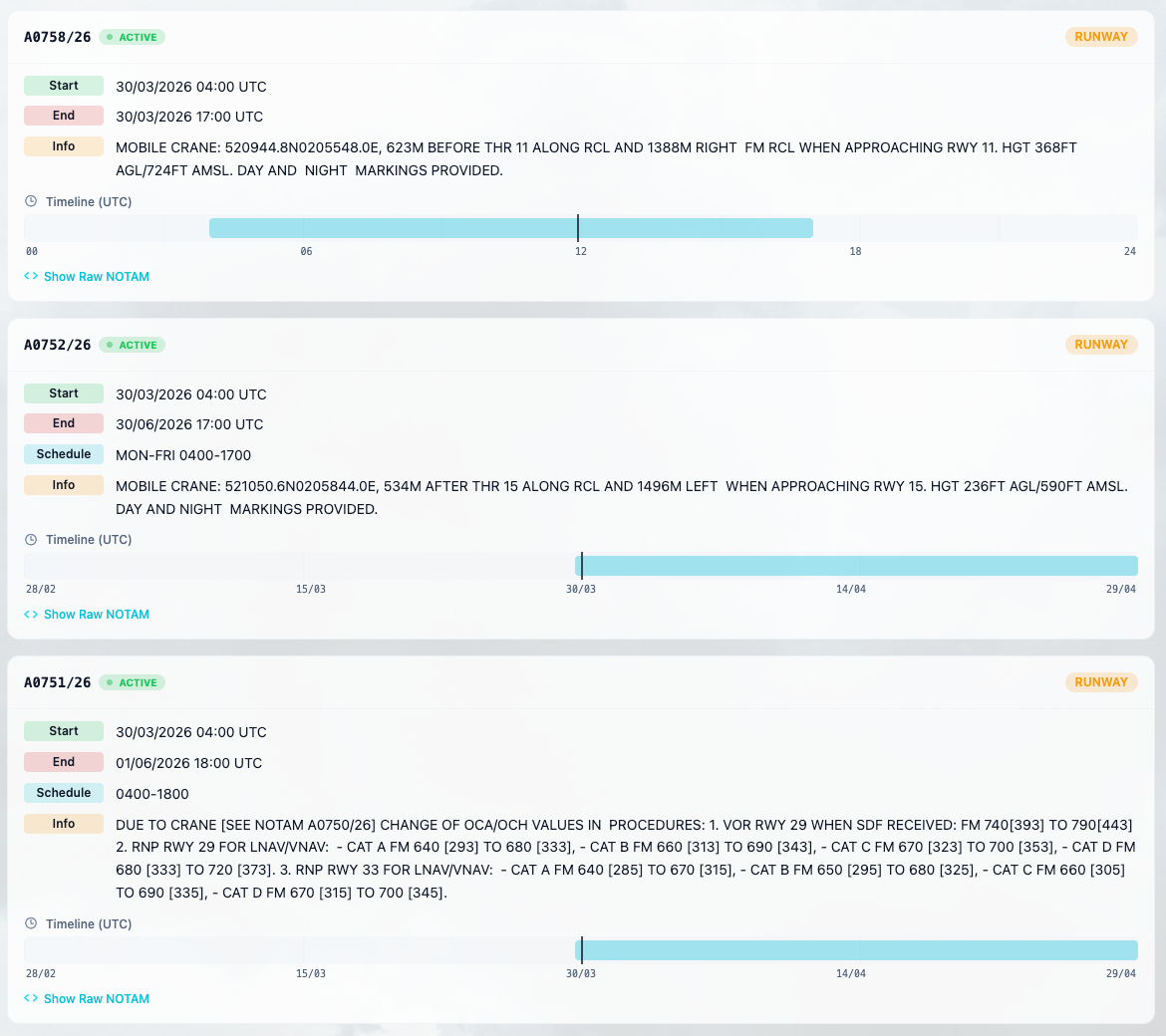
Open any airport page and tap the NOTAMs tab. You'll see every active and upcoming notice for that airport, parsed and organized:
- Start and end dates are extracted and displayed in a readable format
- Descriptions, altitude limits, and schedules are pulled out of the raw text
- A timeline bar on each card visualizes when the NOTAM is in effect — same-day notices show a 24-hour UTC window, multi-day notices scale to show the full validity period with a "now" marker
Each NOTAM is automatically classified into a category — Runway, Taxiway, Navigation, Airspace, Obstacle, Aerodrome, Lighting, and others — based on its content. Categories are color-coded and available as filter chips at the top.
ACTIVE, UPCOMING, or Gone
Every NOTAM carries a status badge:
- ACTIVE (green, pulsing dot) — currently in effect
- UPCOMING (amber dot) — takes effect in the future
Expired NOTAMs are filtered out automatically so you only see what matters. You can further narrow the list with the Active only toggle or the search bar, which searches across descriptions, NOTAM numbers, and raw text.
The Raw Text Is Always There
We parse NOTAMs to make them easier to read, but we never hide the source. Every card has a "Show Raw NOTAM" toggle that reveals the original unmodified text — both ICAO and FAA domestic formats. If you prefer to read the raw Q-line yourself, it's one tap away.
A Note on the BETA Label
You'll notice a small BETA badge on the NOTAMs tab. NOTAM parsing is inherently messy — two different formats, inconsistent encoding, edge cases in date handling — and we're actively improving coverage. If you spot a NOTAM that doesn't parse correctly, we'd love to hear about it.
Important: NOTAMs on metar.cloud are for informational purposes only. Always use official sources for flight planning and real-world aviation decisions.
Try It Now
Head to any airport page — KJFK, EGLL, EDDF, or your home field — and switch to the NOTAMs tab. Everything loads in seconds, filters are instant, and it works on desktop and mobile.
Clear skies.